I work with Tableau reports and CRM Analytics datasets, dashboards and SAQL. Drawing on sales analytics and RLS experience, I connect metric definitions, SQL data preparation, visualization, access control and post-refresh validation.
An attractive chart cannot support a decision if its metrics are ambiguous or users see the wrong data. Design for reliable numbers and the actions people can take after reading them.
01 / TABLEAU & RLS
One dashboard for users with different permissions
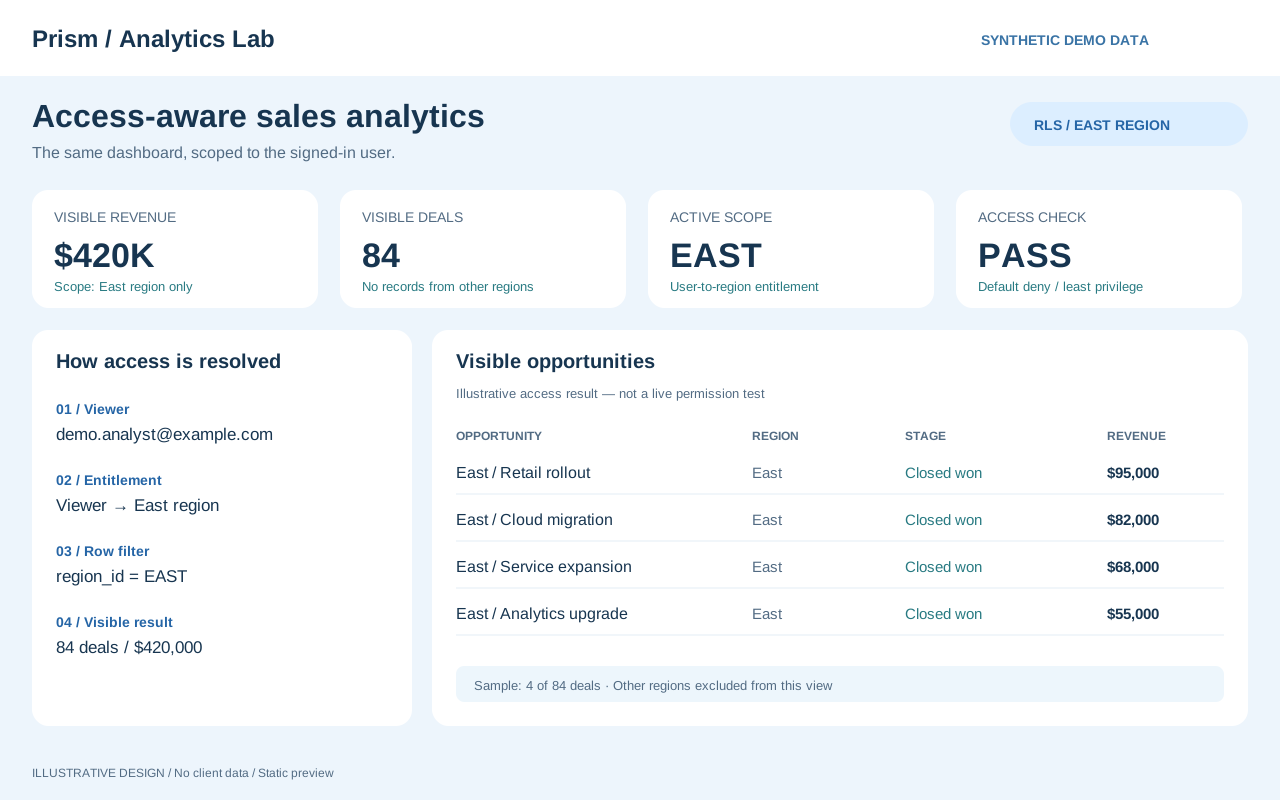
A representative may need their own assigned records, while a manager needs a view of the team. Separate interactive filters from data access rules. This example illustrates how to define visibility by role.
01
Write down the access rules
Map user identifiers and roles to accessible records. Define how multiple assignments, transfers and users without an assigned scope should be handled.
02
Check the visible results
Prepare examples for each role and compare details, totals and filter options. Check both records that should appear and records that must be excluded.
03
Make changes verifiable
Record test users, expected data scopes and results so permissions and data refreshes can be checked again after changes.
Example deliverables
RLS requirements, user-specific verification checklists and records comparing expected results with actual views.
02 / DATA WAREHOUSE → BI
From Snowflake and Azure SQL to decision-ready metrics
Two measures called sales may differ because of posting dates, cancelled records or data grain. Beyond connecting the sources, explain the conditions used to produce each BI value.
01
Understand the source data
Define what each row represents, key uniqueness, refresh times and history handling. Reconcile row counts and major totals before and after joins.
02
Create reusable metric definitions
Define inclusion rules, date conventions, denominators and null handling. Clarify which calculations belong in SQL, views and dashboards.
03
Validate refreshes and interactions
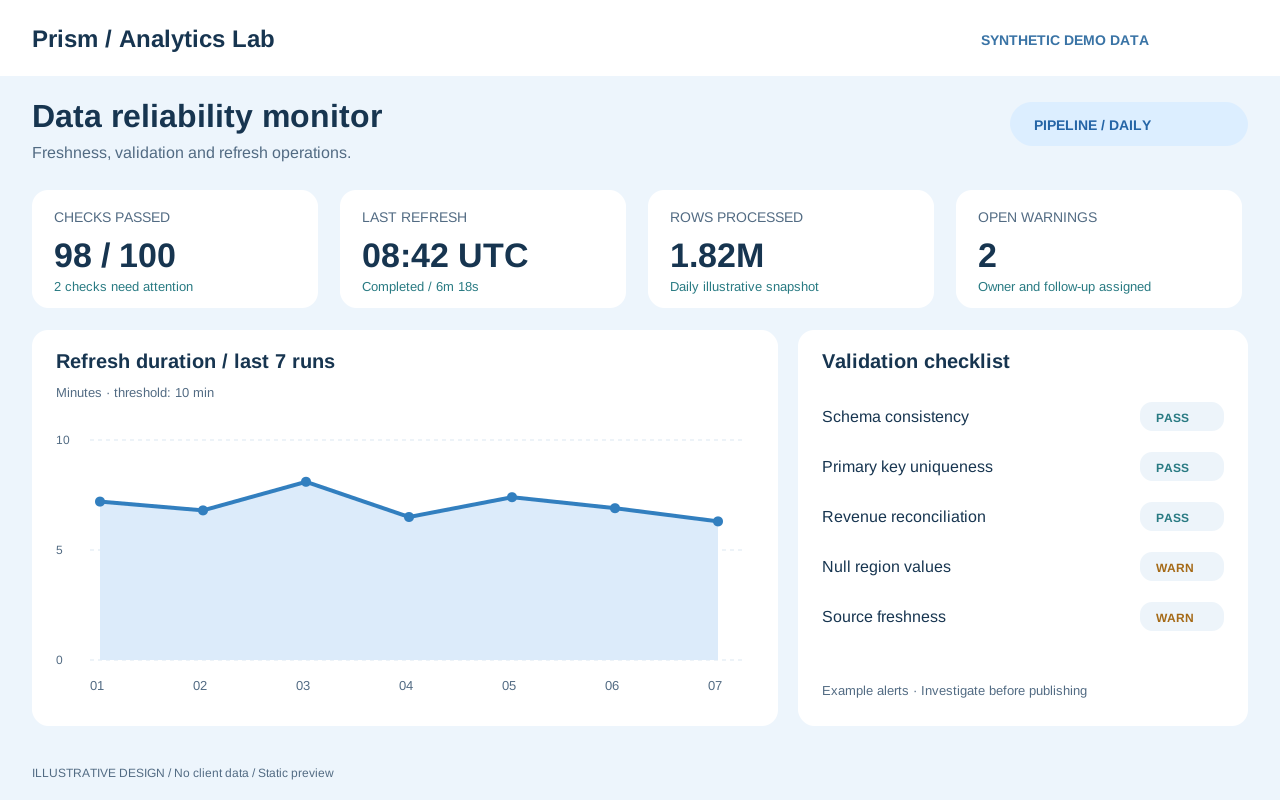
Check data timestamps, extracts, period filters and underlying details. When response times are long, review query volume and where calculations run.
Example deliverables
Metric definitions, field mappings, SQL or SAQL logic, and dashboard usage and validation instructions.
01 / MODEL
Build the analytical foundation
Analysis starts by aligning the meaning of the data. Before joining sources, establish what each row represents, whether keys are unique and whether periods match.
Grain and joins
Combining detail rows with aggregated data can duplicate values after a join. Compare counts and totals before and after processing.
Define the metrics
Specify filters and denominators for amounts, counts and ratios so that each metric name has a consistent meaning across the dashboard.
SQL / SAQL
Build field selection, filtering and aggregation step by step, validating intermediate results along the way.
02 / EXPERIENCE
Design dashboards for exploration
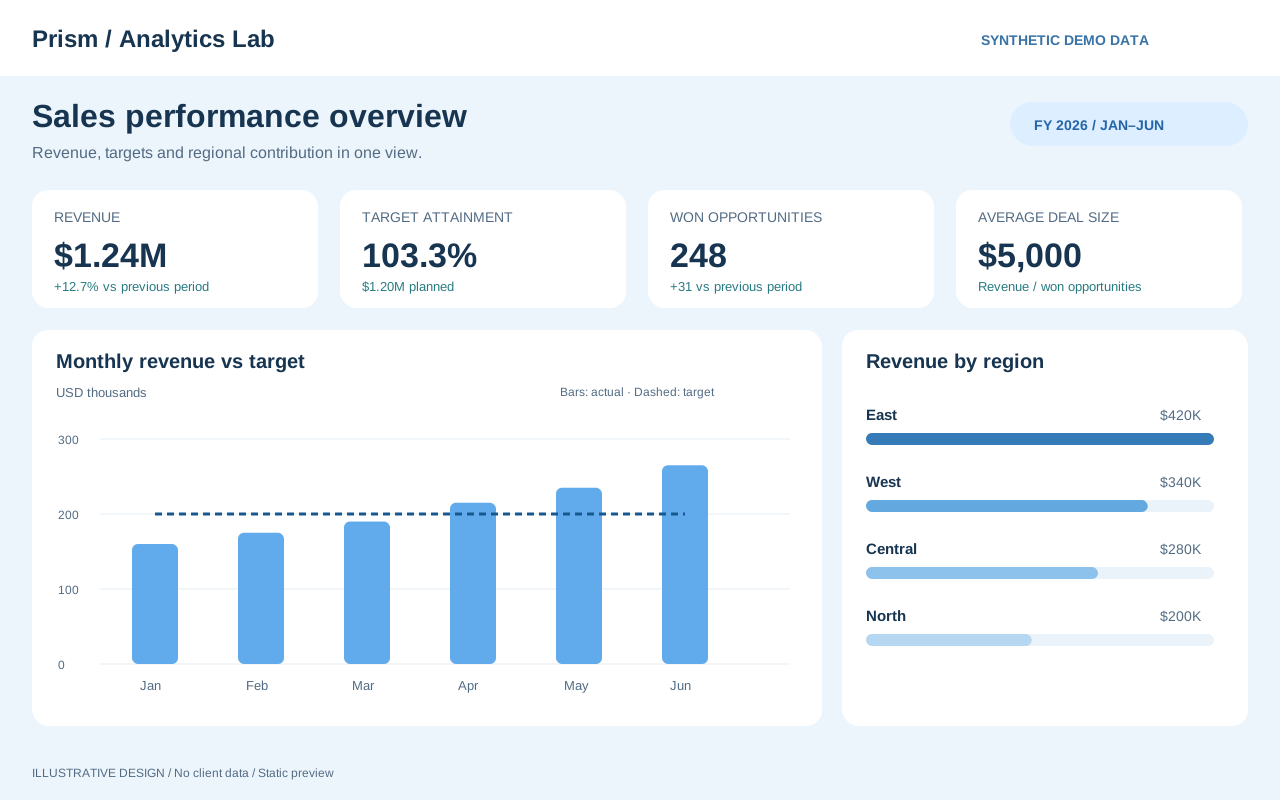
Start with the overall picture, identify a meaningful change and explore its details. Organize the interface around how users make decisions.
From overview to detail
Layer key metrics, trends, comparisons and details. Make clear which views each filter affects.
Include permissions in the design
Check row-level visibility and aggregate results from the perspective of an ordinary user.
Balance clarity and speed
Use consistent colors, units and precision. Review data volumes and calculations, and check the time users wait for interactions.
EXPERIENCE / ROW-LEVEL SECURITY
The right data for the right people.
In a Tableau Cloud sales analytics solution, I contributed to the design and implementation of row-level security so the same dashboard could control data visibility according to each user's permissions.
Tableau CloudRLS / Row-Level SecurityAccess Control
Define data visibility
Translate business roles and access requirements into clear conditions describing who can see which records.
Balance analysis and access
Check details, aggregates and information exposed by filters, balancing a useful analytical experience with appropriate access boundaries.
Verify as the actual user
Do not rely only on an administrator's view. Check results for users with different permissions, including data they should and should not see.
Turn role-specific visibility into explicit rules.
The following is a design example for clarifying requirements. Actual roles and data scopes must follow the business access policy.
Example role
Example visible scope
What to verify
Representative
Records within the assigned scope
Records and totals outside that scope are excluded
Department manager
Data for the department they manage
Department totals agree with the underlying team records
User with multiple scopes
The combined authorized scopes
Overlapping permissions do not duplicate counts
User without configured access
Follow the predefined exception policy
No unexpected data becomes visible
DATA / FROM QUESTION TO INSIGHT
Good analysis starts with a good question.
Before creating a chart, define the decision it needs to support. Gather data, align its meaning and turn it into information that can guide action.
01
Define the question
Identify the users and their decisions, then specify the population, period and comparison dimensions.
QUESTION / CONTEXT
02
Align the data
Check field meanings, grain, missing values and duplicates to establish a consistent basis for analysis.
SQL / DATA MODEL
03
Build the visualization
Choose charts that explain the overview, change and comparison, with a clear path for further exploration.
TABLEAU / CRM ANALYTICS
04
Validate and iterate
Reconcile results with source data and user feedback to identify the next analytical perspective to add.
VALIDATION / FEEDBACK
↳
Rather than rushing to a conclusion, explain metric definitions, refresh times and the limits of their application.
SNOWFLAKE / DATA WAREHOUSE
Connect the analytical foundation with Snowflake
From ingestion and SQL transformation to BI delivery, explore how a cloud data warehouse can serve as the foundation for analysis.
SOURCESNOWFLAKEINSIGHT
Collect and prepare data
Review fields, refresh frequency and historical data handling for each source. Check imported row counts, missing values and duplicates.
Build analytical models with SQL
Separate the roles of tables and views, align join keys and grain, and define the metrics supplied to tools such as Tableau.
Consider performance, cost and access
Review configuration against query behavior and resource use. Define access by role and provide only the data required.
DELIVERABLES / CLEAR HANDOFF
Deliver the implementation and the reasoning behind it.
01
Metric definitions
Names, inclusion rules, periods, denominators and refresh times.
02
Permissions and validation
RLS visibility rules and expected results for each user.
03
Usage guidance
Filtering, paths to detailed records and notes on interpretation.